

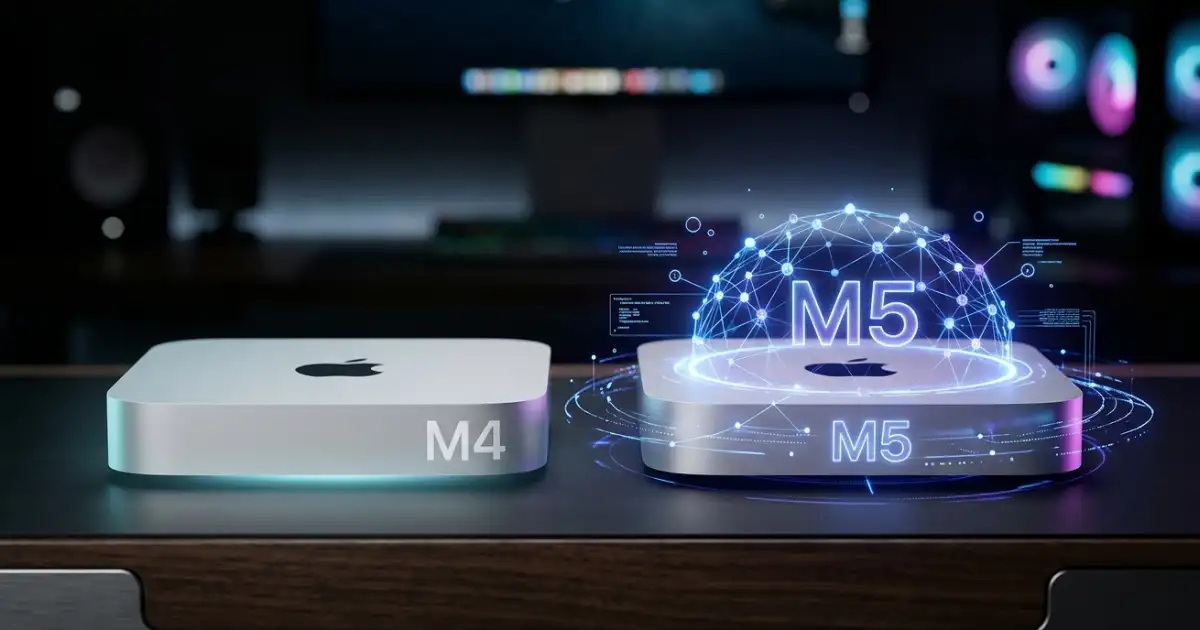
In October 2024, Apple didn’t just release a new computer. It quietly detonated a grenade inside the compact desktop market.
The Mac mini M4 arrived looking like a slightly smaller version of its predecessor — but “slightly smaller” turned out to be an engineering understatement of almost comedic proportions. The new footprint was less than half the size of the previous M2 generation, crammed into a jaw-dropping 5-by-5-inch square chassis that’s roughly the size of a thick hardcover novel. For context: it’s nearly the same dimensions as an Apple TV. That a machine of this computational power fits in that space is not a product update — it’s a proof of concept for the future of desktop computing.
Now, as we move through mid-2026, a successor is coming. The Mac mini M5 has emerged from a cloud of leaks, internal Apple file references, and supply chain signals, with every indication pointing toward a WWDC 2026 debut in June. The question on every Apple user’s mind is the same: is the M4 still worth buying, or is the M5 worth waiting for?
This guide answers that definitively. We’ll take a deep technical look at what makes the M4 Mac mini extraordinary, dissect everything we know about the incoming M5 upgrade, and give you a clear buyer’s verdict based on your specific needs.
Deep Dive: Mac mini M4 — The Machine That Rewrote the Rules
The Chip at Its Heart: Apple M4 and M4 Pro
The Mac mini M4 ships in two primary configurations, and choosing between them is the first major decision any buyer faces.
The base M4 chip features a 10-core CPU (4 performance cores clocked at 4.4 GHz and 6 efficiency cores at 2.85 GHz), a 10-core GPU, and a 16-core Neural Engine. Memory bandwidth sits at a healthy 120 GB/s — a meaningful step up from the M2’s 100 GB/s — and the chip is built on TSMC’s 3-nanometer process. The base model starts at $599 and, crucially, now ships with 16GB of unified memory as standard. This alone is worth celebrating: the era of Apple shipping an $800+ machine with 8GB of RAM is finally over.
The M4 Pro option is a different beast entirely. In its top configuration, it features a 14-core CPU (10 performance cores, 4 efficiency cores), a 20-core GPU, and 24GB of unified RAM as base, expandable to 64GB. The Pro model also introduces Thunderbolt 5 connectivity — a major differentiator — and commands a starting price of $1,399. For creative professionals, software developers, or anyone running ML workloads locally, the Pro tier is where the real magic happens.
Both chips are fabricated on TSMC’s 3nm node, delivering remarkable performance-per-watt ratios that are central to the Mac mini’s biggest engineering achievement: the thermal system.
A Thermal Architecture Unlike Any Other
To fit this level of computing performance into 5×5 inches, Apple had to completely reinvent how the Mac mini manages heat. The result is one of the most innovative cooling systems in any consumer desktop.
Rather than relying on conventional horizontal airflow through side vents, Apple engineered a multi-level thermal architecture where air is guided through different layers of the machine’s internals. The critical twist: all exhaust happens through the foot of the device. The rubber base that the Mac mini sits on acts as both a grip pad and a ventilation system, with a circular vent running around its edge.
In practice, this means the Mac mini M4 runs almost silently under everyday workloads. Reviews and user reports consistently describe quiet operation even during sustained creative tasks. The only scenario where the thermal headroom gets tested is during extended GPU-intensive work — gaming sessions of 30+ minutes, for instance, can make the base noticeably warm, though never problematically so. Apple’s silicon efficiency is doing the heavy lifting here: the M4’s power envelope is so well-controlled that a conventional cooling system would be overkill.
16GB Base RAM: A Long-Overdue Milestone
One of the most practically significant changes in the Mac mini M4 is the baseline memory configuration. For the first time, Apple set the standard at 16GB of unified memory, dropping the controversial 8GB entry point that had plagued previous generations. With macOS Sequoia and the growing demands of Apple Intelligence features, 8GB was becoming an increasingly awkward answer to modern productivity needs.
Unified memory in Apple silicon is architecturally distinct from conventional DRAM — it sits on the same physical package as the CPU and GPU, eliminating the latency and bandwidth bottlenecks that plague discrete memory configurations. The M4’s LPDDR5X-7500 memory (and the M4 Pro’s LPDDR5X-8533 variant) means even the base 16GB configuration is working with the fastest consumer memory available.
For most users — students, developers, content creators, home office professionals — 16GB is genuinely sufficient. Power users handling 4K video timelines, large machine learning models, or complex 3D scenes should step up to 24GB or beyond.
Connectivity: Front Ports Finally Arrive
For years, a common complaint against the Mac mini was its port situation: everything was on the back, requiring users to awkwardly reach around the machine or invest in a hub. The M4 generation finally addresses this.
The Mac mini M4 features two USB-C ports on the front (supporting up to 10Gb/s), along with a 3.5mm headphone jack — making routine connections to drives, cameras, and audio equipment dramatically more convenient. The rear panel carries three Thunderbolt 4 ports (on the base M4 model), an HDMI 2.1 port, and Gigabit Ethernet. The M4 Pro model upgrades those rear ports to Thunderbolt 5, capable of 120Gb/s data transfer and support for external displays at extraordinary resolutions and refresh rates.
Worth noting: Apple dropped the two USB-A ports that were present on the M2 Mac mini. Users with legacy USB-A peripherals will need a hub or adapter — a minor but real-world inconvenience.
Wireless connectivity includes Wi-Fi 6E (802.11ax) and Bluetooth 5.3 on both configurations.
Apple Intelligence on M4: The AI Foundation
The Mac mini M4 was positioned by Apple as “built for Apple Intelligence” — and this wasn’t marketing fluff. The 16-core Neural Engine in the M4 and M4 Pro can execute up to 38 trillion operations per second (TOPS), enabling a suite of on-device AI features that run without sending data to the cloud.
These include Writing Tools for on-device text rewriting and summarization, enhanced Siri with contextual understanding across apps, Image Playground for AI-generated visuals, and Priority Notifications that use machine learning to surface what matters most. All of this processes locally, meaning your data stays on your device — a genuine privacy advantage over cloud-dependent AI competitors.
The M4’s Neural Engine handles these workloads impressively well, but it’s about to face a significant generational leap.
The Future: Mac mini M5 — What the Leaks Reveal
The M5 Chip: Graphics and AI Take Center Stage
The Apple M5 chip debuted in October 2025 inside the MacBook Pro, and every indication since has confirmed it represents a meaningful architectural evolution rather than an incremental refresh. Leaked Apple internal files, confirmed by both Mark Gurman at Bloomberg and subsequent MacRumors reports in December 2025, explicitly reference M5 and M5 Pro Mac mini configurations.
The base M5 chip, while maintaining the 3nm fabrication process of its predecessor, introduces a new GPU design with dedicated hardware for AI tasks — integrating AI acceleration more deeply into the graphics pipeline. The performance gains over the M4 are substantial: estimates from early M5-powered laptop benchmarks indicate 14–22% faster CPU performance and up to 45% better GPU performance. That GPU jump is not a rounding error — it reflects a genuine architectural rethinking of how the graphics subsystem handles parallel computation.
The Neural Engine Leap: 3.5× Faster AI
The headline M5 improvement for anyone excited about Apple Intelligence is the Neural Engine. Benchmarks from M5 MacBook Pro models indicate that AI tasks run approximately 3.5 times faster than on the M4. This is a generational gap, not a minor upgrade.
In practical terms, this means on-device AI features — from Writing Tools to Image Playground to more advanced future Apple Intelligence capabilities — will execute nearly instantly. For professionals using AI-assisted workflows in Final Cut Pro, Logic Pro, or third-party creative tools, this performance headroom translates to dramatically shorter wait times and the ability to run more sophisticated models locally.
M5 Pro: Fusion Architecture Changes Everything
The M5 Pro chip, which arrived in March 2026 inside the updated MacBook Pro lineup, introduces what Apple calls “Fusion Architecture” — a multi-die design that combines two 3nm dies into a single SoC. This is architecturally significant: rather than scaling a single die ever larger, Apple is now stacking high-performance compute chiplets in a unified package.
The M5 Pro configuration expected in the Mac mini features an 18-core CPU (6 super-cores and 12 performance cores — a notable shift from the M4 Pro’s efficiency/performance split), improved multithreaded performance, and enhanced AI capabilities built into the new multi-die architecture. For workloads that benefit from sustained multi-core throughput — compilation, rendering, scientific computing — the M5 Pro should represent a meaningful step beyond its predecessor.
Storage, RAM, and Pricing Expectations
Leaked configurations and pricing signals suggest the Mac mini M5 will debut with 512GB as the base storage configuration, doubling the M4’s 256GB entry point. This addresses a persistent criticism of the M4 base model, where 256GB felt cramped for modern workflows. Base RAM is expected to remain at 16GB for the M5 tier, with the M5 Pro potentially offering 24GB, 48GB, and 64GB options.
On pricing, the picture is slightly complicated. The current M4 Mac mini starts at $599. Analyst estimates and supply chain signals suggest the M5 base model could start at $699 — a $100 increase potentially justified by the doubled base storage. The M5 Pro configuration may land around $1,399–$1,499. These prices reflect both the component improvements and Apple’s broader trend of raising entry-level storage configurations (as seen in the March 2026 MacBook Pro refresh).
Design and Connectivity: Evolution, Not Revolution
The Mac mini M5 is not expected to receive an external redesign. The 5×5-inch form factor introduced with the M4 is likely here to stay — Apple rarely overhauls chassis designs in consecutive generations, and the current form factor still feels cutting-edge.
The significant connectivity upgrade expected is Thunderbolt 5 across all M5 configurations — not just the Pro tier as with the M4. Wi-Fi 7 support is also anticipated, representing a meaningful wireless bandwidth upgrade for users on compatible routers. The front USB-C ports introduced with the M4 generation are expected to be retained.
Release Timeline: WWDC 2026 Is the Target
Multiple independent sources, leaked Apple internal files, and supply chain signals all converge on the same window: WWDC 2026, with the annual developer conference scheduled for June 2026. Apple has historically used WWDC to announce Mac hardware alongside software, and the M5 Mac mini fits squarely within that pattern. Units would likely be available to ship within one to two months of announcement, making late summer 2026 the realistic availability window.
The supply constraints on current M4 high-end configurations — with 32GB and 64GB models listed as “Currently Unavailable” on Apple’s US store with 10–12 week delivery windows — are widely read as inventory drawdown signals ahead of an imminent product transition.
M4 vs. M5 Mac mini: Side-by-Side Comparison
| Specification | Mac mini M4 | Mac mini M5 (Expected) |
|---|---|---|
| Chip (Base) | Apple M4 (3nm) | Apple M5 (3nm, new GPU arch) |
| Chip (Pro) | Apple M4 Pro | Apple M5 Pro (Fusion Architecture) |
| CPU Cores (Base) | 10-core (4P + 6E) | 10-core (estimated, improved IPC) |
| CPU Cores (Pro) | 12 or 14-core | 18-core (6 super + 12 performance) |
| GPU Cores (Base) | 10-core | 10-core (new AI-dedicated design) |
| GPU Cores (Pro) | 20-core | 20-core (up to 45% faster) |
| Neural Engine | 16-core, ~38 TOPS | 16-core, ~3.5× faster AI tasks |
| Base RAM | 16GB | 16GB |
| Max RAM (Pro) | 64GB | 64GB |
| Base Storage | 256GB | 512GB (expected) |
| CPU Speed Gain | — | +14–22% vs M4 |
| GPU Speed Gain | — | Up to +45% vs M4 |
| AI Speed Gain | — | ~3.5× faster vs M4 |
| Rear Ports (Base) | Thunderbolt 4 (×3) | Thunderbolt 5 (×3, expected) |
| Rear Ports (Pro) | Thunderbolt 5 (×3) | Thunderbolt 5 (×3) |
| Front Ports | 2× USB-C (10Gb/s) | 2× USB-C (10Gb/s, expected) |
| Wi-Fi | Wi-Fi 6E | Wi-Fi 7 (expected) |
| Bluetooth | 5.3 | 5.4 (expected) |
| Starting Price | $599 | ~$699 (estimated) |
| Pro Starting Price | $1,399 | ~$1,399–$1,499 (estimated) |
| Release Date | November 2024 | WWDC June 2026 (expected) |
| Apple Intelligence | Yes (current) | Yes (enhanced, 3.5× faster) |
| Form Factor | 5×5 inches | 5×5 inches (unchanged) |
| Carbon Neutral | Yes | Expected yes |
Ecosystem Update: The Broader M5 Mac Landscape
The Mac mini M5 announcement won’t exist in isolation — it arrives as Apple completes an aggressive M5 product rollout across its entire Mac lineup.
MacBook Air M5 launched alongside the MacBook Pro M5 in early March 2026, bringing the same generational AI and GPU improvements to Apple’s best-selling laptop in a fanless, ultra-portable chassis. For users who want M5 performance without the desktop commitment, the MacBook Air M5 is already available now.
MacBook Pro M5, M5 Pro, and M5 Max also launched in March 2026, with the M5 Max configuration representing Apple’s current peak of mobile silicon performance. The M5 Max introduced the Fusion Architecture (dual-die design) to the MacBook Pro, and removed lower storage tiers — pushing the M5 Max starting price to $3,599.
Mac Studio M5 is widely anticipated for a 2026 release, likely at WWDC or in the months following. Expected to feature M5 Max and M5 Ultra configurations, the Mac Studio M5 will target creative professionals and machine learning researchers who need unified memory configurations exceeding 64GB. The M5 Ultra — Apple’s most powerful desktop chip — remains unannounced as of May 2026, but is expected to debut in the Mac Studio.
Together, these releases complete Apple’s most comprehensive silicon generation rollout since the original M1 transition, with AI performance as the defining theme across every product tier.
Buyer’s Verdict: Buy the M4 Now or Wait for the M5?
This is the practical question that matters, and the answer depends on who you are.
Buy the Mac mini M4 Right Now If…
You need a machine today. The M4 Mac mini is an exceptional computer that will serve virtually any workload exceptionally well through the end of this decade. If you’re on an aging Intel Mac, a Windows PC you want to escape, or simply need a capable desktop now, the M4 delivers tremendous value at $599. There’s no need to suffer on inadequate hardware while waiting.
You’re a student, home user, or small business owner. For web browsing, Office productivity, video calls, light photo editing, and everyday computing, the M4 base model is powerful far beyond what these tasks require. The 16GB base RAM ensures smooth multitasking, and the 10-core GPU handles casual creative work without breaking a sweat.
You’re a developer or software engineer. The M4’s single-threaded performance is outstanding, compilation speeds are excellent, and the platform stability of a shipping, well-supported product matters more than chasing the next generation. Xcode, Docker (via Rosetta or native ARM containers), and development workflows run superbly on M4.
You can find M4 units at discounted prices. Once the M5 launches, M4 Mac mini inventory will likely see price reductions from Apple Authorized Resellers and the refurbished Apple Store. A $499 or $549 M4 Mac mini would be an extraordinary value proposition.
Wait for the Mac mini M5 If…
AI workflows are central to your work. If you’re using or planning to use on-device AI tools — whether Apple Intelligence features, local large language models via tools like Ollama, AI-assisted creative tools, or machine learning development — the M5’s 3.5× Neural Engine performance gain is a compelling reason to wait. This isn’t an incremental improvement; it’s a generational shift in what’s possible locally.
You do GPU-intensive creative work. Video editors working in 4K/8K, 3D artists, motion designers, and visual effects professionals will find the 45% GPU performance improvement in the M5 meaningful in daily workflows. Render times, real-time preview performance, and the ability to apply more effects without proxy files all benefit from this headroom.
You want the best connectivity. Thunderbolt 5 on the base M5 model (not just the Pro) means future-proof connectivity for high-speed storage, ultra-high-resolution displays, and eGPU setups. If you’re building a long-term workstation, waiting for TB5 across the board makes sense.
You’re buying in June or later anyway. If you’re not in immediate need of a new machine, and WWDC is only weeks away, there’s no compelling reason to buy the M4 today. Waiting costs nothing if your current setup is functional.
Long-term power users planning to keep their machine for 4–6 years. The M5’s architectural improvements — particularly the Fusion Architecture in the Pro tier — create a wider performance ceiling that will age more gracefully against the software demands of the late 2020s.
Conclusion: The Era of the Intelligent Desktop
The story of the Mac mini M4 versus M5 is ultimately the story of two different philosophies about what compact desktop computing can be.
The M4 proved that you could fit genuine workstation-class performance into a device smaller than a hardcover book, without thermal compromise, at a price that undercuts everything remotely comparable. It was, and remains, one of the best value propositions in Apple’s entire product history.
The M5 is poised to ask a more ambitious question: what if that same compact form factor became the primary AI computing hub of your home or office? With a Neural Engine nearly three and a half times faster than its predecessor, dedicated AI hardware baked into the GPU architecture, Thunderbolt 5 universally available, and the Fusion Architecture pushing the Pro configuration into workstation territory — the M5 Mac mini isn’t just an incremental update. It’s a statement about where computing is heading.
Compact doesn’t mean compromised anymore. In 2026, the most advanced AI processing you can do on a personal computer may happen inside a silver box the size of your wallet.
The Mac mini M5 won’t just be a faster computer. It will be a glimpse at what “personal AI” actually means in hardware form.
All M5 Mac mini specifications, pricing, and release timing are based on analyst reports, leaked Apple internal files, and supply chain signals as of May 2026. Actual specifications and pricing may differ at announcement. Confirmed M4 specifications are based on Apple’s official product listings.